diskdiet
See where your developer disk space went, and get it back safely. One tool for macOS, Linux and Windows: a CLI, a desktop app, a VS Code extension and an MCP server for AI assistants.

Disk full right now? Nothing to install
npx diskdiet            # see what's using space (changes nothing)
npx diskdiet clean      # free what's older than 30 days, after showing the list
Why diskdiet
Package managers never forget. After a year of installs, the npm cache alone can pass
40 GB, and Docker images, the pnpm store, Gradle caches and old projects'
node_modules add more. Most cleaners either wipe everything, so your next
installs crawl, or handle one tool.
diskdiet shows the whole picture first, then removes only what you haven't used lately: by default, anything unchanged for 30 days.
-
One breakdown
npm, Yarn, pnpm, Bun, pip, uv, Cargo, Go, Gradle, Maven, Playwright, Cypress, Xcode, Docker, and the
node_modulesandtargetfolders of projects you haven't touched. Biggest first. -
Old, not everything
Removes what hasn't been used for 30 days (or 7, or 90), so the packages you use every day stay cached and installs stay fast.
-
Safe by default
Shows exactly what it will remove and asks. Never outside a cache folder, never follows symlinks, uses
pnpm store pruneanddocker prunewhere they exist, keeps Docker volumes, and waits while a package manager is installing. -
Wherever you work
CLI · desktop app with a tray icon · VS Code · AI assistants (MCP)
Install
Download the .dmg (macOS), installer (Windows) or AppImage (Linux) from the
latest release.
More options, including Homebrew, Scoop, winget and Linux packages: Install.
The desktop app
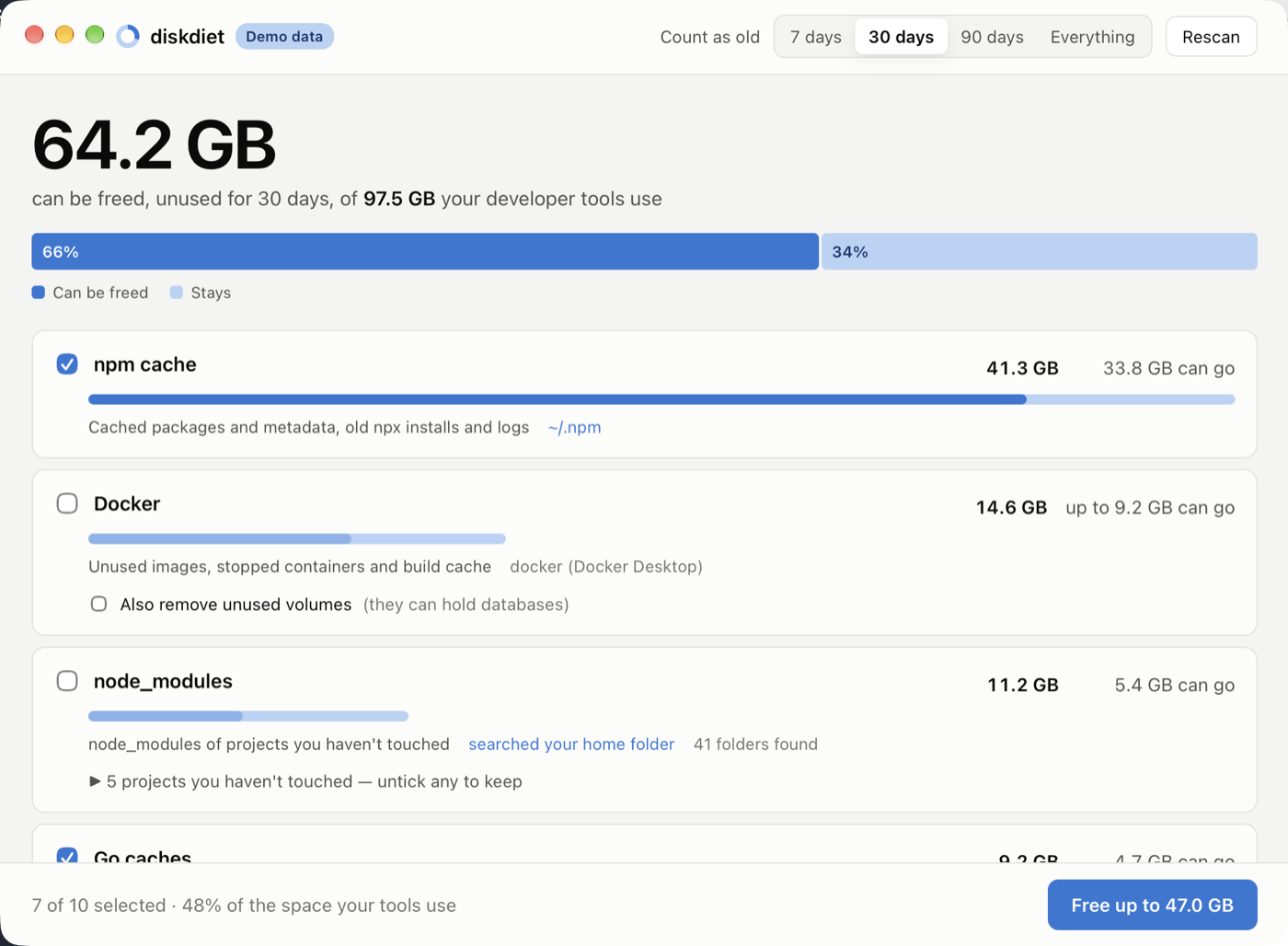
Pick an age, untick anything you want to keep, and free it in one click. The app stays in your menu bar or system tray, checks every few hours, and tells you when more than 10 GB could be freed. More about the app.
Open source
diskdiet is MIT-licensed and developed on GitHub. Releases are signed and come with SBOMs and build provenance (verify a download), and diskdiet collects no data (privacy).